
Lost your village, farm or Brawl Stars account? Start by checking what you can still access: the linked email, a device already signed in, or your Account Protection phone number and Recovery Codes. Those are different recovery routes. A Player Tag helps locate an account, but does not prove ownership by itself.
Checked against official guidance on November 4, 2026. This guide is filed under Clash of Clans, but covers shared Supercell ID recovery for Clash of Clans, Clash Royale, Brawl Stars, Hay Day and Boom Beach. Game menus and support labels can differ. Recovery is subject to Supercell verifying ownership; there is no guaranteed shortcut.
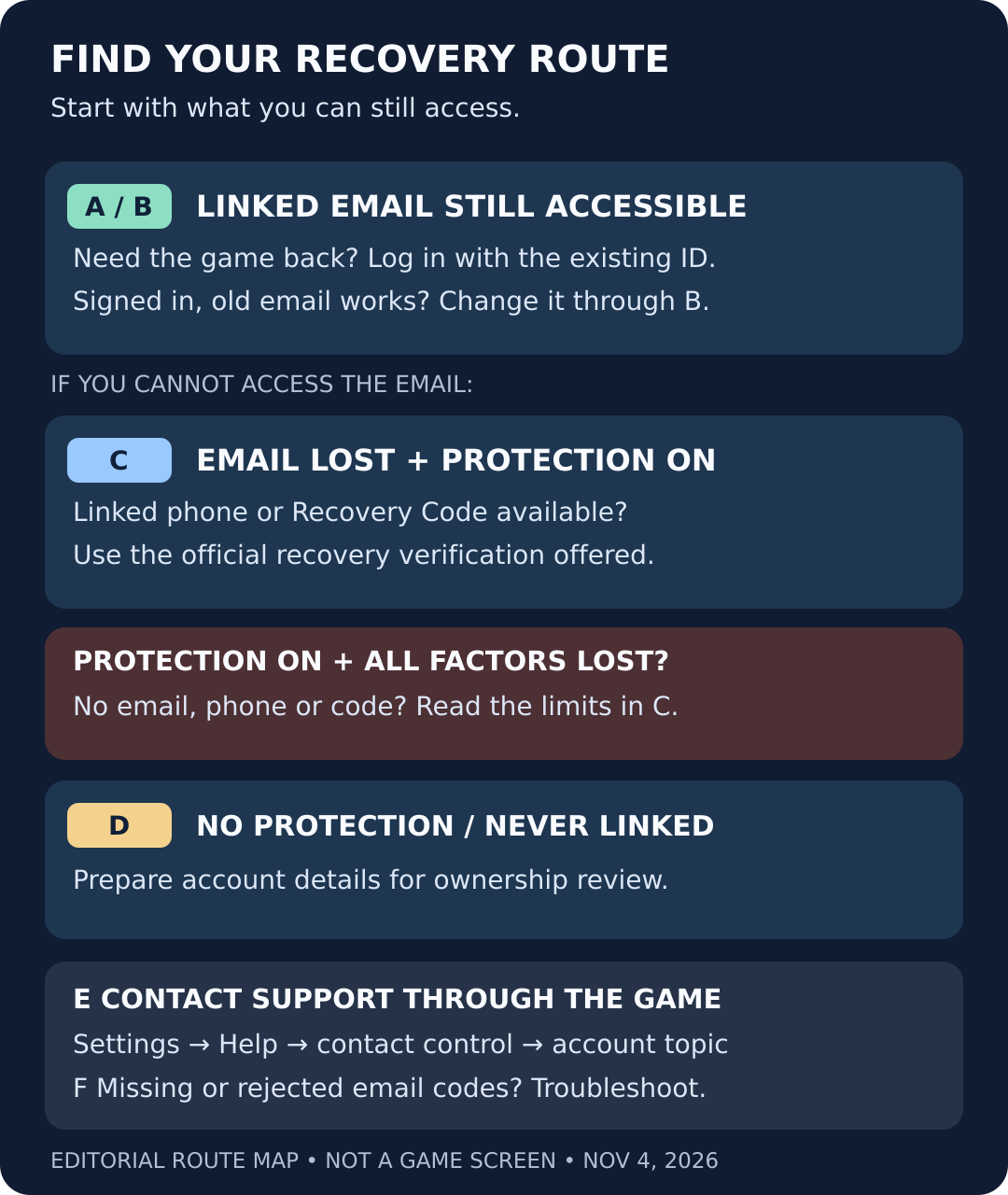
Recovery route map. An original editorial diagram; not a Supercell screen. Choose by the access you still have, then follow the matching section below.
Before you start: keep your remaining access
- If a device still opens the correct account, keep that session available while you work out the next step. Do not log out just to test whether you can get back in.
- Record the game, account name and Player Tag privately. Distinguish the lost account from any temporary or second account you use to contact Support.
- Avoid reinstalling as a first recovery step. Supercell says uninstalling on Android removes saved Supercell IDs from that device.
- Use only an email account you control. Do not send passwords, login codes or Recovery Codes to a helper, seller or a public comment thread.
Route A: you still have the linked email
Find the right email
Search your own inboxes for Supercell ID messages. Check which mailbox was used for the missing account, rather than assuming the address on your current phone is the right one.
Use the in-game login
Open Supercell ID from the game’s Settings, or use Log in with Supercell ID on the title screen when offered. Choose the existing-account login, not new-account registration.
Verify and check the loaded game
Enter the linked email and use the current verification code sent to that inbox. Once the game opens, compare the Player Tag, name and progress with the account you wanted.
Clash of Clans: current Settings location
The official October 2026 interface overview confirms Profile → Settings.
Open official guidanceIf a different account loads, stop before changing its email or connecting a new ID. Check the selected login and identify the intended account first. A successful login is only a useful recovery result when it opens the correct progress. Treat a blank or early-game account as a mismatch to investigate, not a reason to delete anything.
Login and account switching
Official instructions for existing IDs, saved logins and multiple accounts.
Open official guidanceRoute B: you are signed in and can access the old email
Prepare another email you own that is not already connected to Supercell ID. In the correct game account, open Settings and Supercell ID. This route requires access to the old email.
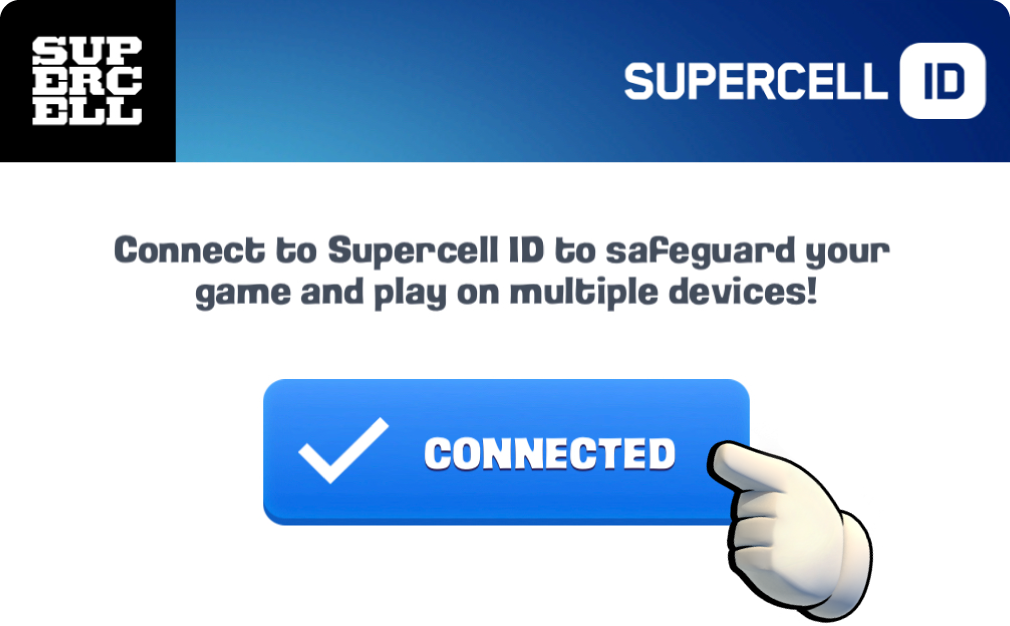
1. The hand marks Connected. Supercell’s published UI example, not a recovery-success screen.
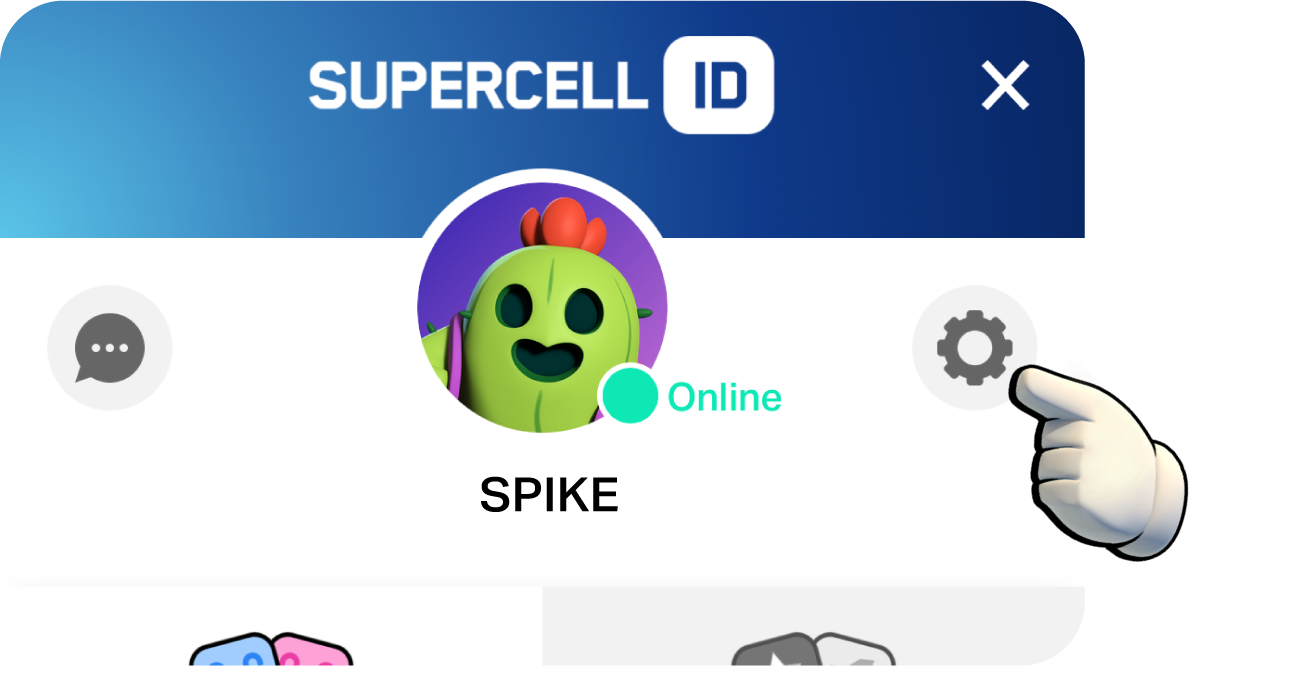
2. The hand marks the cogwheel on the right. Original Supercell UI image and marking.
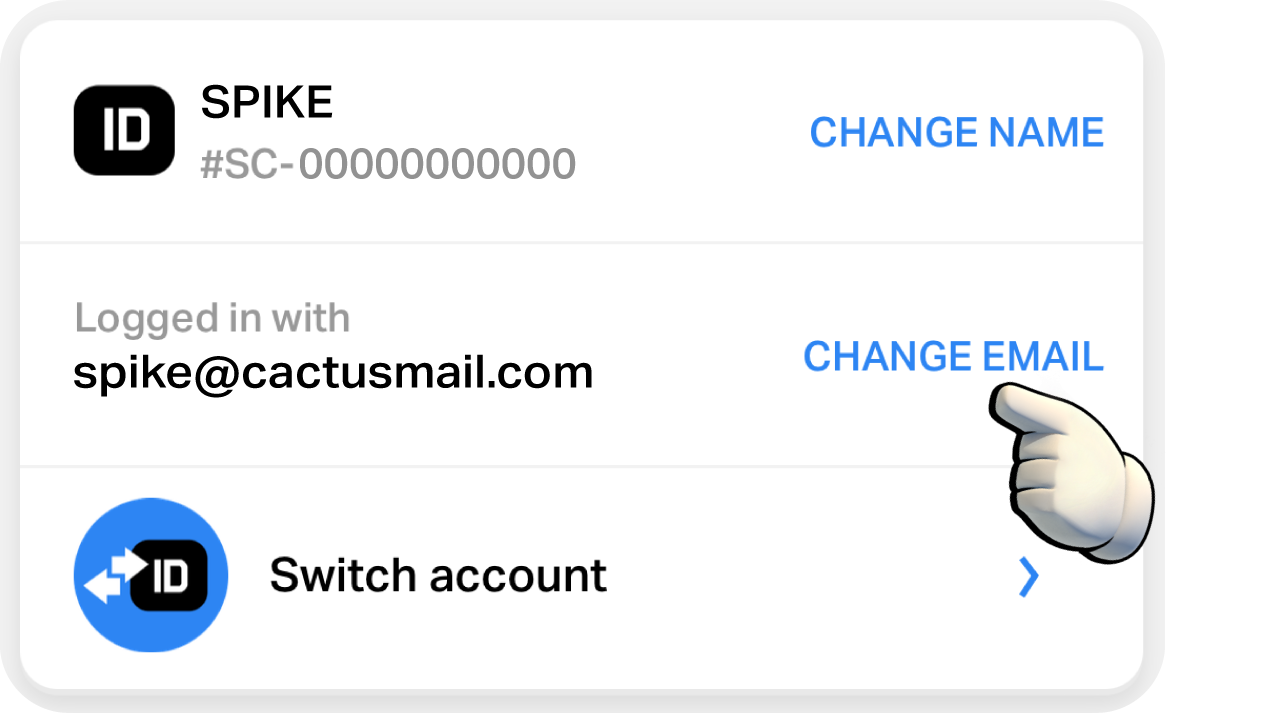
3. The hand marks Change Email. The displayed account details are Supercell’s demo, not a reader’s account.
- Confirm access to the current email only if you have it.
- Verify the existing address, then follow the remaining prompts.
- No old mailbox? Use Route C or D through Route E.
Email-change walkthrough
The source of the three marked UI examples above. It also describes the lost-email contact route and email-change restrictions.
Open official guidanceRoute C: email lost, but Account Protection was enabled
With Account Protection already enabled, contact in-game Support to use the linked phone or a saved Recovery Code.
| What you still have | Next step |
|---|---|
| Linked phone can receive SMS | Follow the official SMS verification option. |
| Phone unavailable, Recovery Code saved | Use a saved Recovery Code in the official process. |
| Email, phone and Recovery Codes all unavailable | See the limitation below; no guaranteed override. |
Check mobile service, other incoming messages and Android’s SMS spam folder. Turn airplane mode on, then off. After repeated requests, wait a couple of hours. SMS verification also requires a supported region; see the linked restrictions.
Account Protection requirements
Current guidance on SMS, Recovery Codes, restrictions and protection settings.
Open official guidanceThe all-factors-lost limitation
Dated official explanation of backup-code limitations.
Open official guidanceRoute D: no Account Protection, or never connected to Supercell ID
You can ask Support to investigate ownership. Prepare the Player Tag or Player ID, account name, level, current Clan/Club/Neighborhood/Task Force and purchase transaction IDs if you have them. If the account was never linked, Support may still be able to recover it and connect it to Supercell ID. Have an accessible email ready that is not already connected to an ID.
Official lost-account checklist
Supercell lists the account details it asks for and explains that ownership must be verified.
Open official guidanceFind the Player Tag without logging into the lost account
| Game | Where Supercell says to look |
|---|---|
| Clash of Clans, Clash Royale, Brawl Stars | Open Profile at the top left; the tag appears below the profile icon. |
| Hay Day | Open Social at the bottom right, then Friend Book; the tag is below the search bar. |
| Boom Beach | Tap the player name at the top left, open Player Profile and its Profile tab; look below the player name. |
Locked out? Ask an in-game friend to open your profile and send you the tag. If you have another account, look for the lost profile in its friends list or shared clan, club, neighborhood or task force. Copy the leading # and the full sequence carefully. A nickname alone can point to the wrong player. A tag identifies the account, but is not sufficient proof of ownership.
Player Tag instructions
Official per-game locations and ways to find a lost account from outside it.
Open official guidanceRoute E: reach the official recovery conversation
Open the game’s Settings
In the current Clash of Clans Home Village, use Profile → Settings. In other games, start from their Settings control.
Open help
Choose Help and Support, or Help and Info if that is the label shown in your game.
Find the contact control
Look at the top right. Official instructions describe a message bubble in some interfaces, or a hamburger menu with Leave a message in others.
Choose the account-access topic
Select the option about account access or Supercell ID and identify the account you need help with. Answer the actual prompts on your screen; their wording and order may vary.
Cannot open the lost account? Supercell’s contact page directs lost-account and Supercell ID requests through the game from any account. You can use another account of your own that opens, then clearly identify the lost account. The account you contact from and the account you want recovered may be different.
If the lost account is inaccessible
The official contact page directs recovery requests to in-game help, rather than a web-form bypass.
Open official guidanceThis is the point where the flow becomes account-specific. A protected account may be routed to SMS or a Recovery Code; an unprotected account may require ownership details. We have not reproduced a private support chat, a code-entry screen or an approval message. Follow the options actually presented and keep the case in the official in-game conversation.
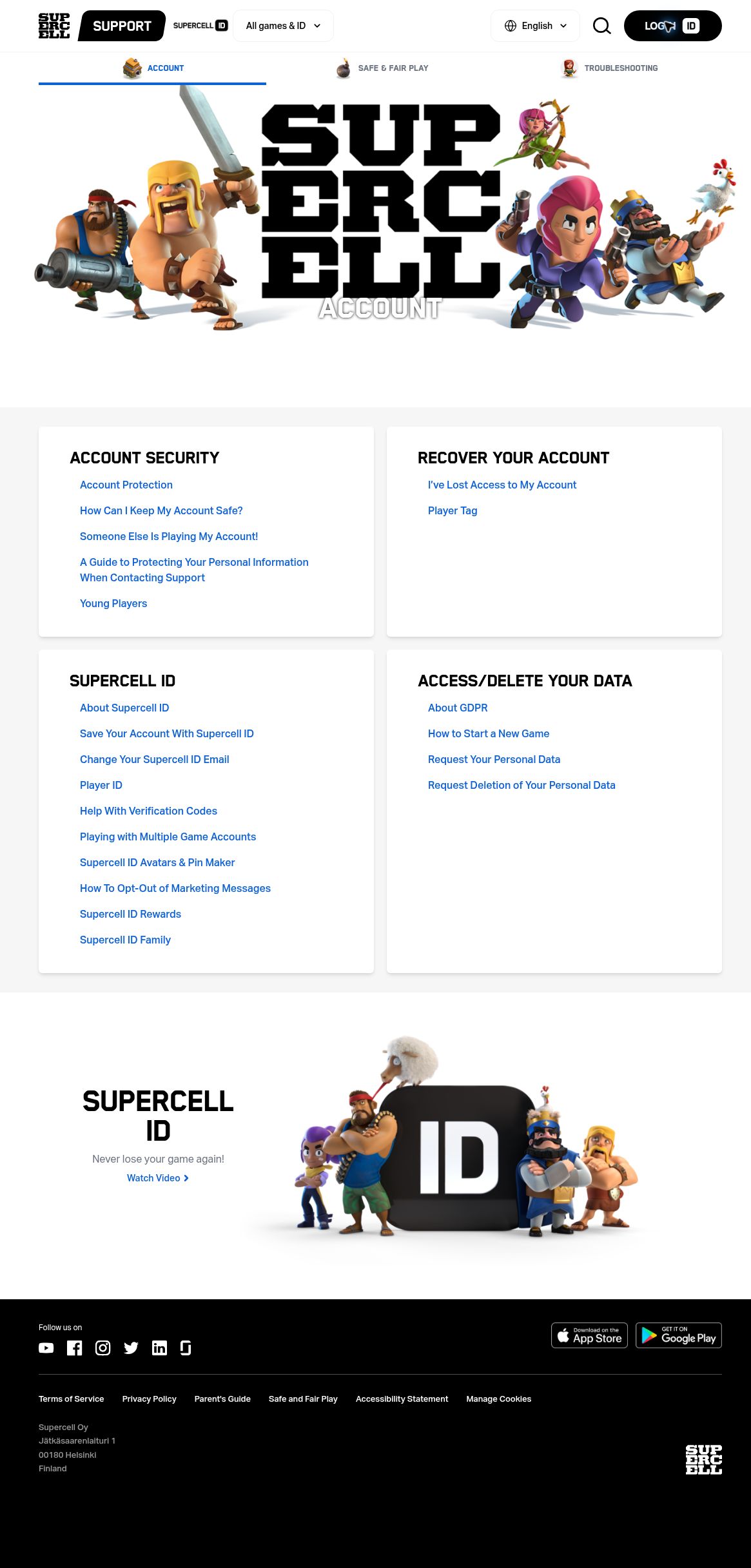
4. Real public Support page, captured November 4, 2026. Recover Your Account is the upper-right help card; Account Protection is in the upper-left card; Change Your Supercell ID Email and Help With Verification Codes are in the lower-left card. This is a web help index, not the in-game contact button.
Official account-help index
Use this page to read the relevant help article without submitting a recovery request.
Open official guidance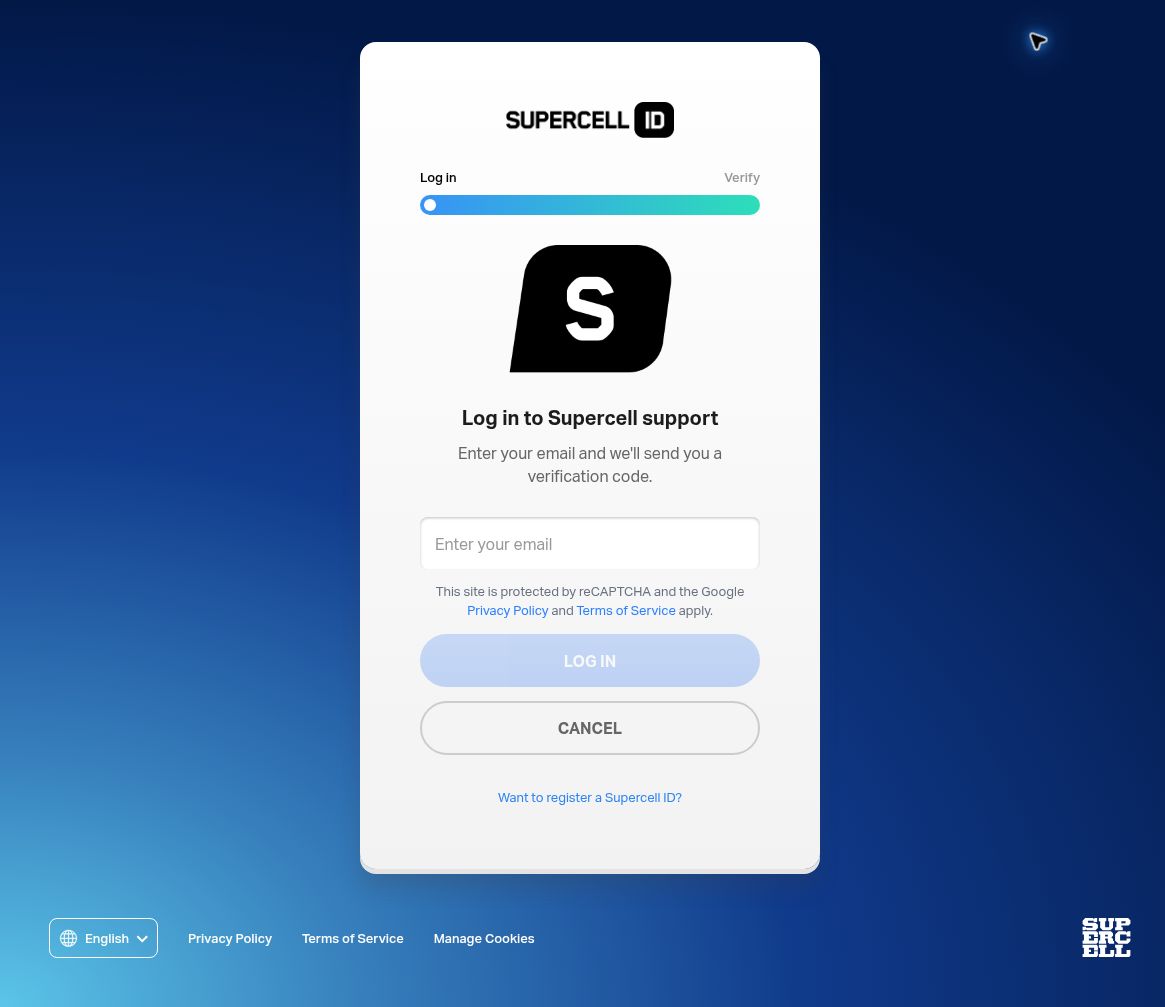
5. Real blank web login, captured after selecting Log in on Supercell Support. The email field is in the center; the Log in button is below it. This is website authentication, not evidence that a game account has been recovered. No address or code was entered.
Game: [game]
Lost account name and Player Tag: [details]
Account level and group: [details or unknown]
What I can still access: [game session / linked email / protected phone]
Account Protection: [enabled / not enabled / unsure]
What changed: [brief description]
Purchase transaction IDs: [available / no purchases / unavailable]
Please tell me which verification step to follow.
Fill this only inside your own official Support conversation. Do not include a password, an SMS code or a Recovery Code in the opening message. Provide recovery factors only in the appropriate verification step, not in the account-description field. If Support asks for a receipt, preserve the requested transaction information and remove unrelated personal data.
Protect personal details in screenshots
Supercell explains how to remove personal information from screenshots and receipts before sending them to Support.
Open official guidanceRoute F: the email code never arrives or is rejected
- Check the address against the one used for this existing Supercell ID. A typo or a different mailbox sends you down the wrong path.
- Search the inbox for Supercell ID, including spam and folders affected by mail rules.
- Use the newest code for the current attempt. Earlier codes are replaced when a new one is issued.
- If you entered an incorrect code three times in a row, Supercell says new email codes are blocked for 24 hours. Stop guessing and wait.
An unsupported email-domain message is a different failure from delayed delivery. Supercell may reject some domains when creating an ID or changing its email. Its email-change guidance also says that changes or verification may be unavailable for accounts considered unsecured. Do not treat either message as proof that your progress was deleted.
Verification-code troubleshooting
Official code-delivery guidance, newest-code rule and 24-hour lockout after three incorrect entries.
Open official guidanceSomeone else is using the account
Secure the email account first, including changing its password if you suspect compromise. Supercell says a new-device login alert includes a This is not my device option that can lead to signing out all devices. Verify that the message is genuine before using it. If in doubt, enter the game directly and contact Support instead of trusting an unsolicited link.
Tell Support that you suspect unauthorized access, not just that you forgot the email. Its documented process can change the linked address after verifying ownership. Do not let a stranger “test” your login, request a code for you, or direct you to a recovery service. Supercell warns against unexpected messages asking for login codes and against trying to recover a friend’s account for them.
Unauthorized-access guidance
Official login-alert and Support steps for someone else using your account.
Open official guidanceAvoid phishing during recovery
Supercell’s account-safety advice covers code sharing, impersonation and account sharing.
Open official guidanceAfter recovery: check the result before calling it done
- Open the intended game and compare the Player Tag and progress. A working email alone does not confirm that the correct account was restored.
- Check that the new mailbox belongs to you and receives messages. Protect that mailbox with two-factor authentication.
- If eligible, open Settings → Supercell ID → cogwheel → Account Protection → Activate and follow the prompts.
- Save Recovery Codes securely. Regeneration is limited and requires email verification; new codes invalidate old ones.
- Keep your recovery details private and remove codes from any screenshot before sharing it publicly.
Common dead ends and what to do instead
| Dead end | Better next step |
|---|---|
| “I know the tag, so ownership is proved.” | Use the tag to locate the account, then complete the verification Support actually requires. |
| “I will create a new ID with a similar email.” | Find the existing login or recover the account. Registration is not an account-recovery request. |
| “I will reinstall until the old account appears.” | Preserve access and check the linked identity before removing app data. |
| “Someone on social media guarantees recovery.” | Use the official game Support flow. Never buy an override or hand over a verification factor. |
| “My screen does not match the screenshot.” | Check the game, interface version and label. The images show control locations, not a universal sequence of private support prompts. |
Sources, images and scope
Research uses the official pages linked beside each route. The three marked interface images are published by Supercell and retained unchanged. The two web screenshots document public pages as seen on November 4, 2026; they do not show an account-specific recovery test. Menus can change, and Support determines which verification options apply to an individual account.
This is an independent, unofficial guide and is not endorsed by the game publisher. No login data is collected here. Do not post account credentials or recovery factors in comments.
Image-use policy
The original interface images belong to Supercell. See its fan-content rules and unofficial-content requirements.
Open official guidance
Latest comments
Log in to join the conversation
Log InNo comments yet. Be the first to share your thoughts!