
A shipment in Roll for the Galaxy does not automatically earn three victory points. Consume starts at one point, then checks the good and the shipper separately against the world holding that good. Two matching dice can still earn only one point if neither matches the world.
Before confirming a shipment, identify three things: the world's color, the die sitting on it, and the die doing the shipping. Then check whether you chose Trade for credits or Consume for points. This guide covers the base-game rules used by Temple Gates Games' digital adaptation. The examples exclude tile bonuses and tabletop expansions; they are worked rules examples, not tests of a current app build.
First separate the world, the good and the shipper
The world is the settled tile. The good is a die placed on that world during production or by a setup or settlement effect. The shipper is a different worker assigned to Ship. Spending a shipper removes one good; both dice then go to your Citizenry.
A producer does not need to match a world's color to make a good there. A white die on a green Genes world is legal. It remains a white good on a green world, rather than turning into a green die. That distinction is exactly what the color bonus checks. Gray worlds cannot hold goods under the base production rule.
Trade uses the world's color, not either die
Trade pays Galactic Credits according to the world holding the good:
- Cyan Novelty world: 3 credits.
- Brown Rare Elements world: 4 credits.
- Green Genes world: 5 credits.
- Yellow Alien Technology world: 6 credits.
A white good on a yellow world trades for six credits before modifiers. A yellow good on a cyan world trades for three. Neither a matching shipper nor a purple shipper increases that base Trade payout. If you expected VP chips, check that you chose Consume instead.
Keep the units separate when deciding. Five credits and three VP are different rewards, not two ways of displaying the same score. Credits help put workers back into circulation; points help win the game. Which reward you need depends on your next round and how close the game is to ending.
Consume checks two matches against the world
For one good, calculate the base payout this way:
- Start with 1 VP.
- Add 1 if the good matches its world's color, or the good is purple.
- Add 1 if the shipper matches that world's color, or the shipper is purple.
The comparison is always with the world. Matching the shipper to the good is not a third bonus, and the world's printed cost is not the shipment's VP value. Development powers may change the reward, so calculate the base result first and then read the relevant tile effects.
Consider a green Genes world with a brown good and a brown shipper. The dice match each other, but both miss green: 1 + 0 + 0 = 1 VP. Change only the shipper to green and the result becomes two. Change the good to green as well and it becomes three.
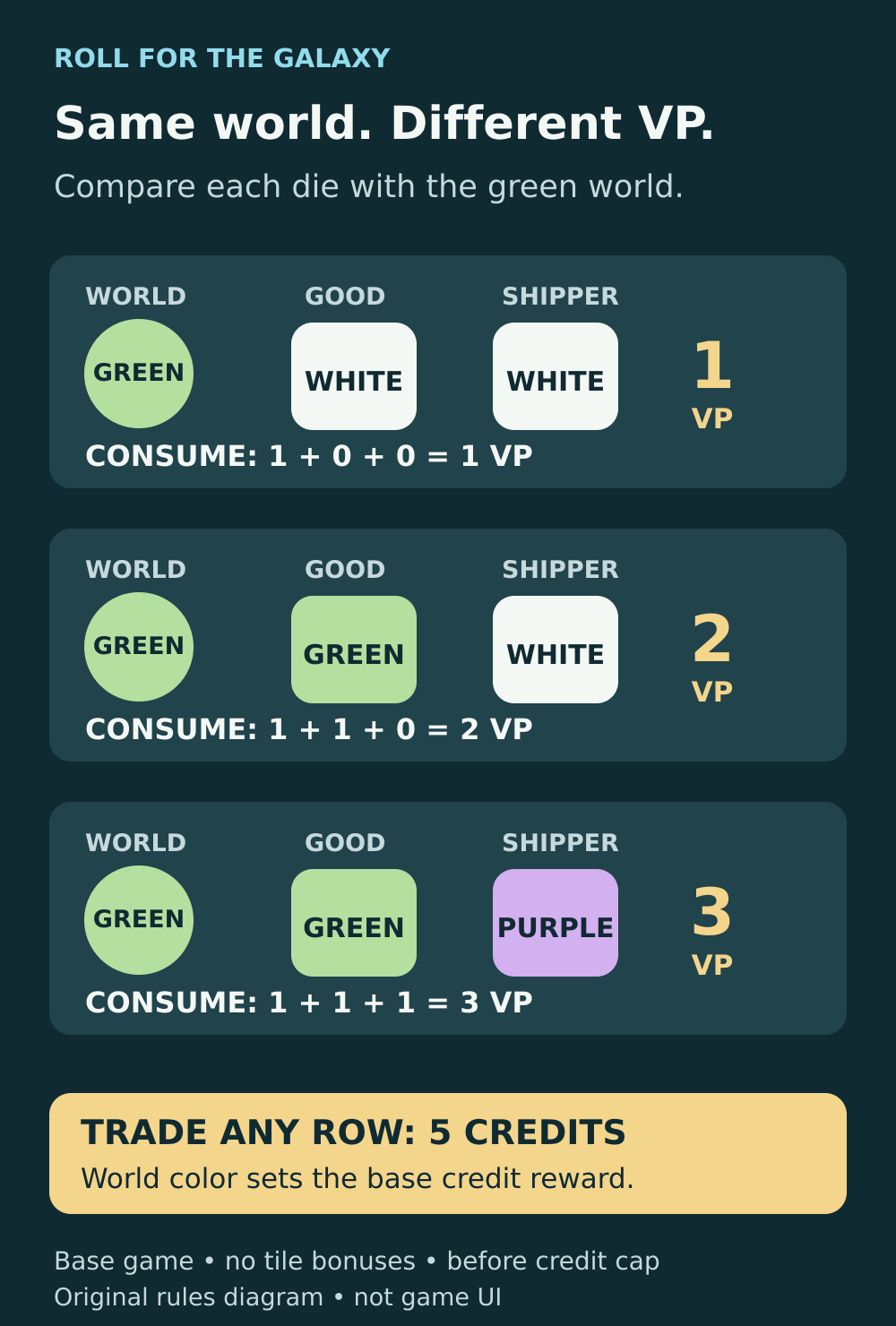
Original rules diagram. Each row is a separate example on a green Genes world, with no tile bonuses.
Purple color and a wild face do different jobs
A purple Consumption die supplies the color-match bonus for the role it fills. As the shipper, it guarantees the shipper's one bonus point. It does not also fix a mismatched good. A white good on a green world, shipped with purple, therefore earns two VP, not three.
Two purple dice, one good and one shipper, earn both matching bonuses. But a star-like wild face on a yellow die does not make its color wild: it remains yellow. Wild faces help assign workers to phases; they do not supply a Consume color bonus. Purple also does not count as every color when a development checks dice colors for a separate power or final scoring.
Pair your shippers before confirming
Suppose you have two goods ready:
- A white good on a cyan Novelty world.
- A green good on a green Genes world.
Your two shippers are cyan and purple. Without modifiers, consuming both can earn either four or five VP depending on the pairing:
- Cyan shipper to cyan world: 1 base + 0 for the white good + 1 for the shipper = 2 VP. Purple shipper to green world: 1 + 1 + 1 = 3 VP. Total: 5 VP.
- Purple shipper to cyan world: 1 + 0 + 1 = 2 VP. Cyan shipper to green world: 1 + 1 + 0 = 2 VP. Total: 4 VP.
The extra point comes from reserving the flexible purple shipper for the world the cyan shipper cannot match. You have not gained another good, another worker or another shipping action. You have used the same resources more effectively.
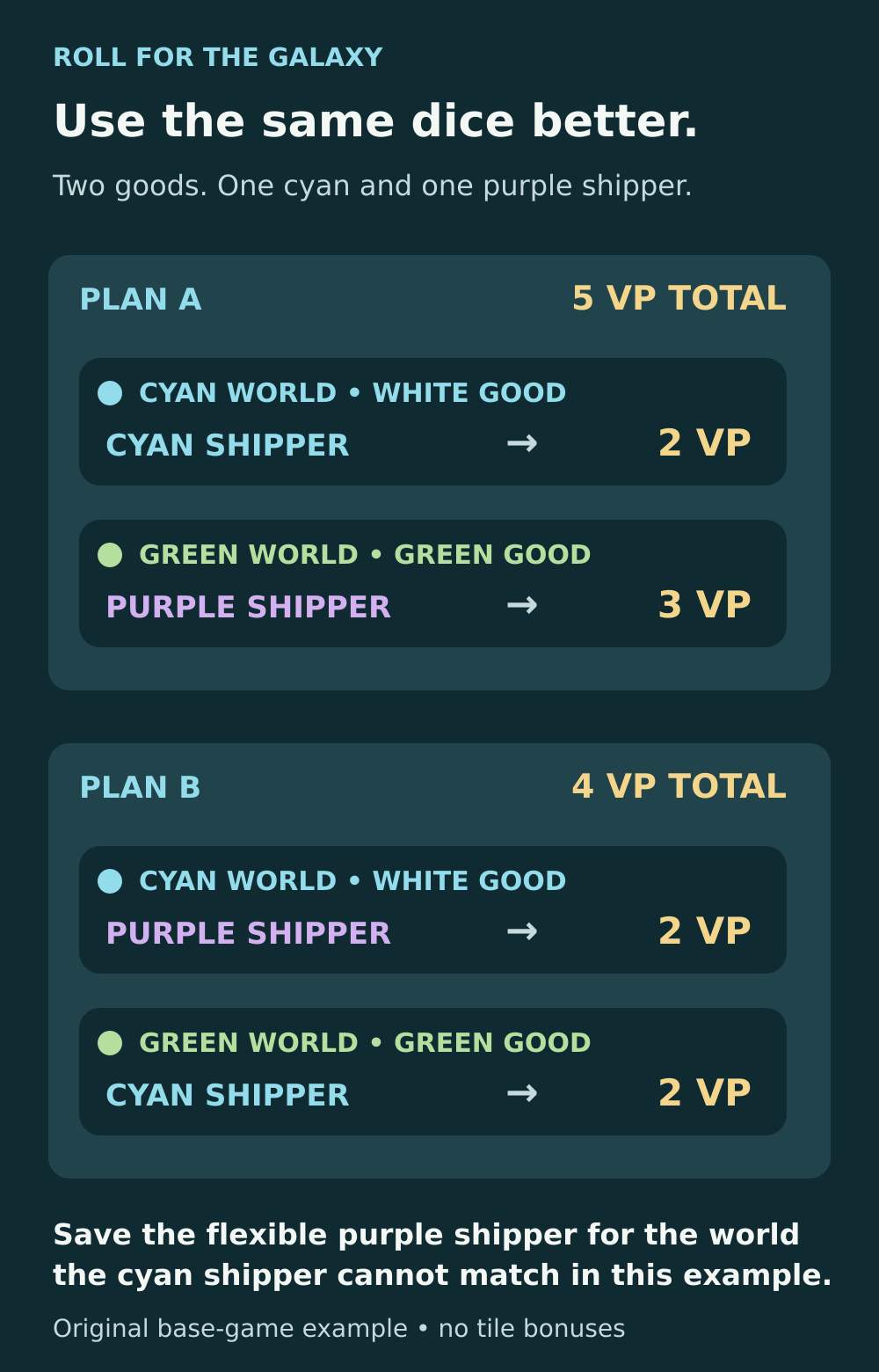
Original worked example. Both plans consume the same two goods using the same cyan and purple shippers. No tile bonuses apply.
Treat this as a comparison method, not a rule that purple always belongs on a particular world. Lay out each available pairing and count the bonuses. A different set of goods, shippers or tile powers can change the best choice. If you use the app's automatic allocation, check the proposed pairing against your goal before committing it.
Trade and Consume can share one Ship phase
You choose Trade or Consume separately for each shipper as it resolves. For example, with two goods and two shippers, you can trade one good to fund recruitment and consume the other for points. You do not have to make every shipment in the phase use the same option.
However, choosing the reward is not permission to leave usable shippers idle. The rules require workers to perform tasks when possible. Excess shippers return to the cup after available shipping tasks are exhausted. With three assigned shippers but only one good and no power creating more tasks, only one shipment happens; the other two workers return to the cup.
Having Ship faces is also not enough by itself: Ship must occur that round. Likewise, assigning a producer does not guarantee that Produce occurs. When both phases occur, Produce comes before Ship, so a newly produced good can be shipped in the same round. A shipper without a good cannot generate a reward just by being assigned.
Why the credit total can look unchanged
Check the moment you are comparing. The base game caps your balance at ten credits, then recruitment spends one credit per die moved from Citizenry to the cup. You must recruit until you run out of credits or empty Citizenry. If recruitment leaves you at zero, your balance becomes one afterward.
For a small example, start with eight credits and an empty Citizenry. Trade one good from a green world for five credits, with no other rewards or workers entering Citizenry. The balance reaches ten, losing three credits to the cap. Recruiting the good and shipper costs two, leaving eight again. The shipment paid correctly even though the next round starts with the same balance.
If your expected reward still differs, inspect the world, both dice, chosen task and active powers before calling it a bug. The digital game's tutorial and helper tooltips are useful for checking the action you are about to submit.
For Consume, compare each die to the world. For Trade, read the world's credit value. Then account for tile powers, the credit cap and recruitment. That short check explains far more than comparing two matching dice or looking only at the next round's total.
Sources and further reading
Official manual supplied with the digital game
Read the official base-game rulebook supplied with the digital Steam release. See pages 4 and 7–8 for tasks, shipping and recruitment, and pages 10–11 for color clarifications.
Read the sourceProduce and Ship rules reference
Check the readable rules transcription distinguishing the producer, good and shipper, allowed production colors and the two possible shipping rewards.
Read the sourceTrade values and worked explanation
Read the independent base-game explanation listing the 3, 4, 5 and 6 credit Trade values and distinguishing them from Consume points.
Read the sourceDigital app explanation of shipping rewards
Read the digital adaptation review explaining both color comparisons and describing automatic allocation. Its observations concern the reviewed 2020 app.
Read the sourceOfficial FAQ transcription: wild faces and purple dice
Check the rulebook FAQ transcription for wild faces, purple Consumption dice, per-worker task choices and compulsory recruitment.
Read the sourceOfficial digital features and tooltips
Read Temple Gates Games’ August 2020 launch announcement confirming the digital tutorial, helper tooltips and colorblind mode.
Read the source
Latest comments
Log in to join the conversation
Log InNo comments yet. Be the first to share your thoughts!