
A shipping counter stuck at 0 does not, by itself, mean Pocket City 2 has stopped selling your resources. In an April 2023 explanation, the developer identifies this counter as a record of manual exports. Auto-Sell runs separately at the end of the day, so you can receive a resource-sale payout while that counter still shows zero.
Before building another dock, check the Auto-Sell settings, the stock you have allowed it to sell, and the next daily payout. Those tell you much more than the manual counter alone.
What the 0/2000 counter actually measures
In April 2023, replying to a player who was receiving sales messages but seeing no shipping usage, developer u/BobbyDev clarified that the 0/2000 display tracked exports made manually during that day. Auto-Sell could still use the available capacity for its own selling phase.
There are two useful checks:
- Manual selling: look at the shipping-usage counter when you make a manual export.
- Auto-Sell: look for the daily resource-sale notification and check the relevant stock before and after the sale.
Do not read 0/2000 as “there is definitely room for another 2,000 automatic exports.” It is not a complete record of what Auto-Sell shipped. Equally, do not demolish a working dock just because its manual counter is empty.
This guide covers the standard Pocket City 2 release, rather than Pocket City 2+. The counter explanation describes the original 2023 mobile version, not a verified test of every later build. If your version presents additional trade statistics, read their labels rather than treating every shipping figure as the same measurement.
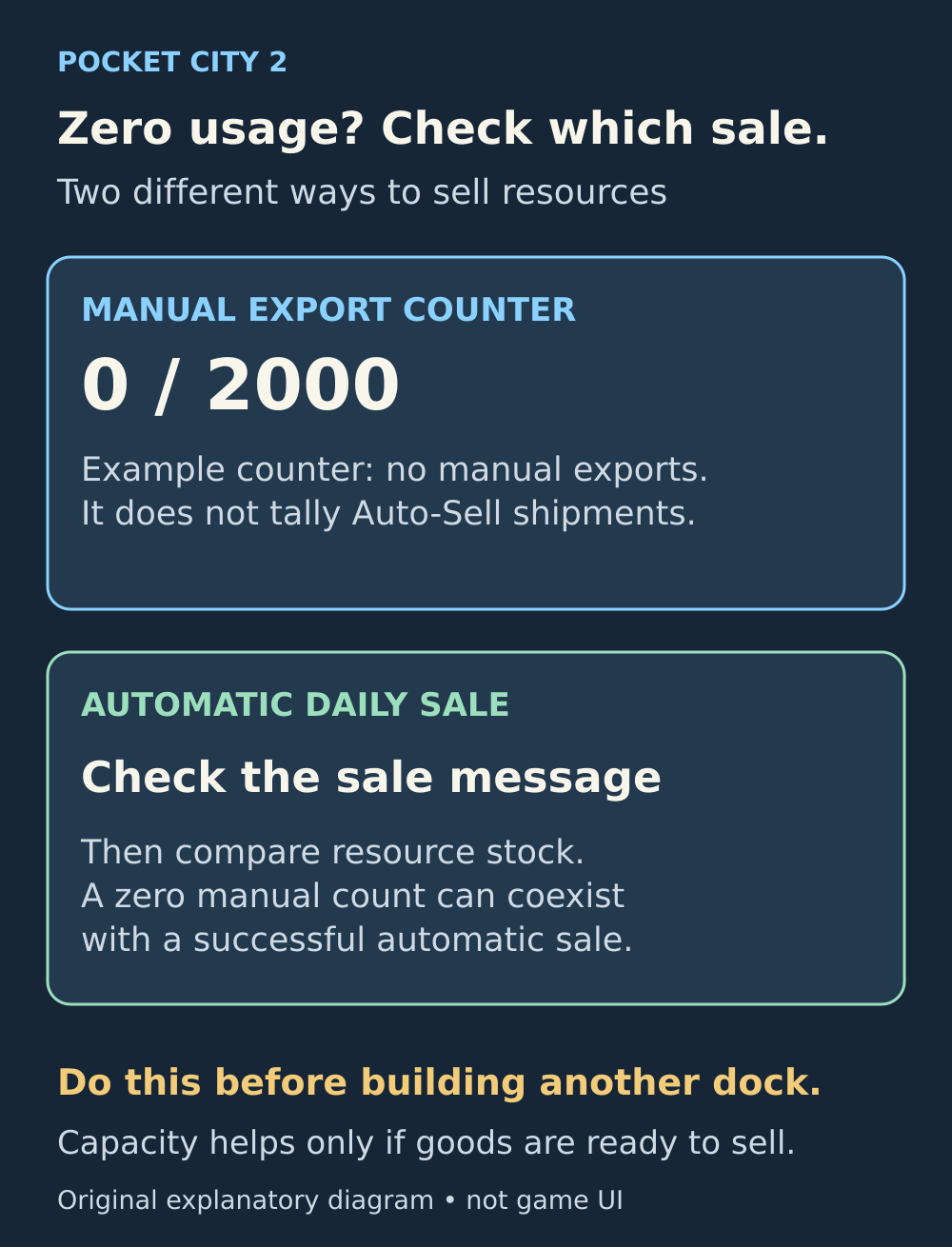
One empty counter does not prove there was no trade. Check the automatic sale itself.
Set Auto-Sell to keep the stock you still need
Open the Shipping Dock's trading options and inspect its Auto-Sell controls. Choose the resource types you want to sell, then set how much of each you want to retain. The game can sell the surplus above those retained amounts at the end of the day.
Start with the next thing you intend to build, upgrade or research. Read its resource requirements, then choose a keep amount that leaves enough for that plan. Codebrew's official description explicitly identifies upgrades and research as uses for harvested resources, alongside income.
Players also describe keeping a resource reserve for later research. The right amount for your city depends on your next planned expense, rather than a universal target.
A high keep amount is not a broken sale setting. If you are holding less than the amount you asked to retain, there is no surplus of that resource for Auto-Sell to release. Lowering the number may produce cash, but it also gives up part of your planned stockpile.
A keep amount is not a daily sales target
Suppose you choose to keep 1,000 wood. The following is an illustrative stock example, not a building's production rate. Assume wood is the only selected export, there is enough shipping capacity, and nothing else spends wood during the example:
- First sale: you have 1,500 wood. Keeping 1,000 leaves 500 available to sell.
- Next sale: you have added 300 wood, bringing stock to 1,300. Keeping the same 1,000 leaves 300 available to sell.
- If stock is only 800: there is nothing above the 1,000 reserve, so Auto-Sell should not sell that wood.
The retained 1,000 is a stock level. You do not subtract it afresh from each day's production. Once the reserve is filled, new surplus can be sold without rebuilding the reserve from zero every day.
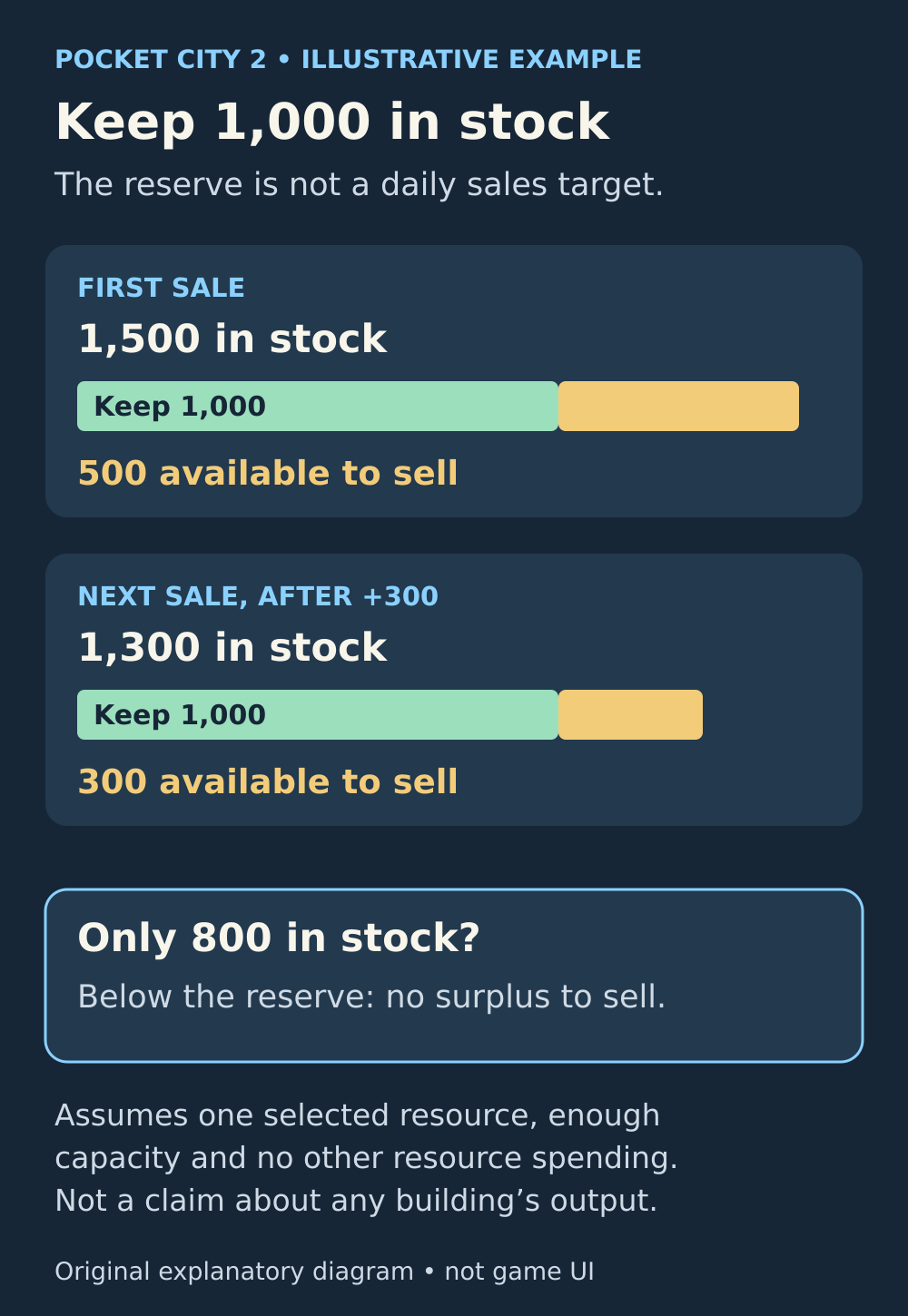
For one selected resource with enough capacity and no other spending. The figures illustrate the reserve setting, not actual production rates.
Check the payout, not just the Income headline
The Income figure in Stats is not a complete record of every cash movement. The post-launch walkthrough separates dock sales from the income categories displayed in Metrics, and players report seeing export cash arrive without it appearing in the daily Income figure.
For a useful check, let a full in-game day pass without making unrelated purchases. Watch for the sale message and compare the selected resource's stock. Remember that taxes, upkeep and other cash flows can occur during the same period, so the net change in your bank balance is not necessarily the gross value of the shipment.
If you see the sale notification and the expected resource reduction, an unchanged Income headline or zero manual-export count is not a reason to rebuild your trading system.
Work out which limit you are actually hitting
No sale and no surplus
Check that Auto-Sell is enabled for the intended resource and compare your current stock with its keep amount. If stock has not reached the reserve, focus on accumulating it or deliberately revise the reserve. More shipping capacity cannot create resources that are not available to sell.
A sale occurs, but surplus keeps piling up
Capacity can matter here. The developer's explanation limits automatic shipments to the available capacity and available resources. If eligible stock repeatedly remains after daily sales, check your total export selection and shipping capacity before adding more resource production.
Do not assume each selected resource gets the entire advertised capacity to itself. When several goods are selected, use the observed shipment and remaining stocks to decide whether expanding transport would help. A zero manual-export count cannot settle that question for you.
A reserve never grows as expected
First review the actual Auto-Sell setting for that resource. Then check whether you have spent it on research, upgrades or other actions since the last count. Resources have uses beyond trade, so inspect those costs as well as your sales settings.
For a simple comparison, temporarily stop auto-selling that resource and watch it over the next day without deliberately spending it. If it still falls, investigate other uses rather than blaming the shipping counter. Keep the rest of your city intact while you narrow down the cause.
Before you add another dock
- Confirm which resource is selected for Auto-Sell and what amount you told it to keep.
- Check that stock actually exceeds that amount.
- Observe a complete daily sale and its notification.
- Compare the remaining surplus over more than one sale if production is uneven.
- Expand shipping when repeated leftover surplus suggests a capacity limit, rather than because the manual counter reads zero.
If eligible stock remains unsold and no automatic payout appears despite those checks, record the game edition, version, trade settings and before-and-after stock. That is a better basis for investigating a genuine problem than repeatedly buying docks without knowing which part of the system is failing.
Sources and further reading
Developer explanation of shipping usage
Read the developer’s April 2023 clarification that the displayed usage counts manual exports rather than automatic shipments.
Read the sourceA second shipping-counter example
Read a follow-up player explanation of the manual counter and the separate daily automatic-sale notification.
Read the sourceAuto-Sell and retained resources
Check the post-launch walkthrough’s Shipping Dock section for retained amounts, end-of-day surplus sales and income categories.
Read the sourceOfficial resource uses
Read Codebrew’s official Pocket City 2 description, including resource use for upgrades, research and income.
Read the sourceA player example of keeping research stock
Read a later player example of retaining resources for research; its chosen amount is a strategy, not a universal requirement.
Read the sourceA player example of separate export income
Read the PC2-on-iPad player report describing automatic export cash arriving outside the displayed daily Income figure.
Read the source
Latest comments
Log in to join the conversation
Log InNo comments yet. Be the first to share your thoughts!