
A hero with high Wit does not automatically produce extra resources. In Dungeon of the Endless: Apogee, the hero needs the Operate skill, a suitable major module and time to finish setting up. Moving that hero out of the room starts the waiting period again.
There is another distinction that matters: keeping the Operate assignment is not the same as collecting its bonus. An operator can stay assigned while a room is dark or while fighting, but the developer's rule requires the hero to be on the module in a powered room when the door-opening payout happens.
This guide focuses on Food Replicators, Industry Generators and Science Creators in Apogee, the mobile edition containing the original game and five add-ons. Their resource bonus is different from the effects of operating other major modules.
The examples use the original game’s documented rules for these three producers, including Amplitude’s December 2014 clarification. Playdigious recommends the community wiki for Apogee gameplay questions. The examples have not been tested in the current Apogee mobile build.
Check the skill before buying more Wit
Open the hero's current skill information and look for Operate. Wit determines how strong an operator's contribution is; it does not grant the ability. Some heroes learn Operate as they level up, and some equipment grants it. Equipment that merely increases Wit is not a substitute.
Operate is passive. You do not repeatedly activate it like a combat ability. Put a qualified hero in the room with the major module and let them take up the assignment. A defensive turret is a minor module, so parking someone beside one will not turn it into a resource producer.
For a clean test, use one hero who visibly has Operate and one completed, working Food, Industry or Science module. Check that the room is powered. Avoid changing equipment, moving another operator in or opening several doors at once while you diagnose the missing bonus.
Give the operator a setup turn
The game's resource cycle advances when you open a door into an unexplored room. That is what a new door means in the steps below. Opening a connection between rooms you have already explored, or simply waiting, does not trigger another normal resource turn. Let a different hero explore while the operator stays in place.
Use this sequence when assigning a fresh operator:
- Put the hero in the powered producer room before opening the next door.
- Open one new door with another hero. Treat this as the setup turn, not an immediate bonus payment.
- Allow the operator to finish settling at the module. Keep them in the room.
- Before the following door, check that the room is powered and the operator is ready at the module.
- Open that following door. This is the first payout where you should expect the established operator's extra resources.
The one-turn delay is why repeatedly moving a hero between producers can yield much less than expected. A hero who returns to the room must set up again.
Do not rush several unexplored doors just to test income. Every new door can also bring trouble. Check one transition at a time so you can tell whether setup, power or movement changed the result.
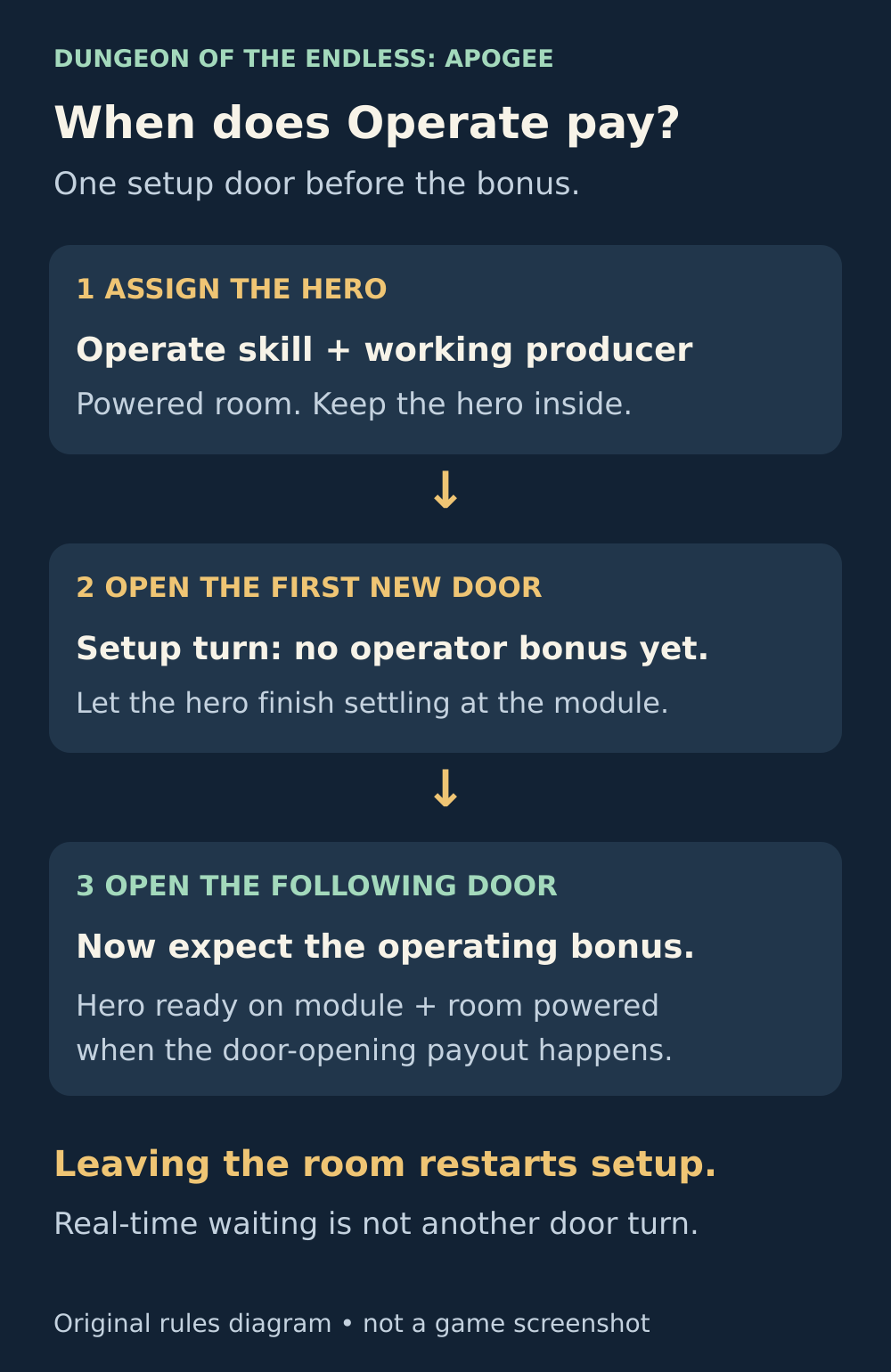
The first door after assignment is the setup turn. The following door can pay the bonus, provided the operator and room are ready.
Keep the room powered at payout
A room can be safe to stand in without being ready to produce. Before opening the next door, check the producer's power and the hero's operating state rather than assuming that their presence is enough.
In December 2014, Amplitude's developer clarified that staying in the room preserves or activates the Operate assignment even if the hero fights, repairs or the room is unpowered. For resource collection, however, the ready operating indicator must be present during door opening: the hero is on the module and the room is powered.
That gives you two different diagnoses:
- The hero left the room: expect to repeat setup after returning.
- The hero stayed, but the room was dark or they were not ready at the module during payout: the assignment may remain, but that does not guarantee income for that door.
If a fight just ended, let the hero return to the module before opening another door. You do not have to abandon every operator when monsters enter their room, but preserving their assignment is not a reason to leave them in a losing fight.
Why one more Wit may add no resources
For Food Replicators, Industry Generators and Science Creators, divide the total operating Wit by two and round the result up. That is the extra resource contribution per paying turn, not the entire floor's income.
For example:
- 7 Wit gives an operating bonus of 4.
- 8 Wit still gives a bonus of 4.
- 9 Wit gives a bonus of 5.
So changing an operator from 7 to 8 Wit can be working correctly even though the resource number does not increase. The next threshold matters more than the raw stat change.
An ordinary level-I producer contributes 3 resources before operating. With a ready 7-Wit operator, that module contributes 7: its normal 3 plus the operating bonus of 4. The number at the top of the screen can be higher because it also includes other sources. Do not compare this one module's contribution directly with your whole-floor total.
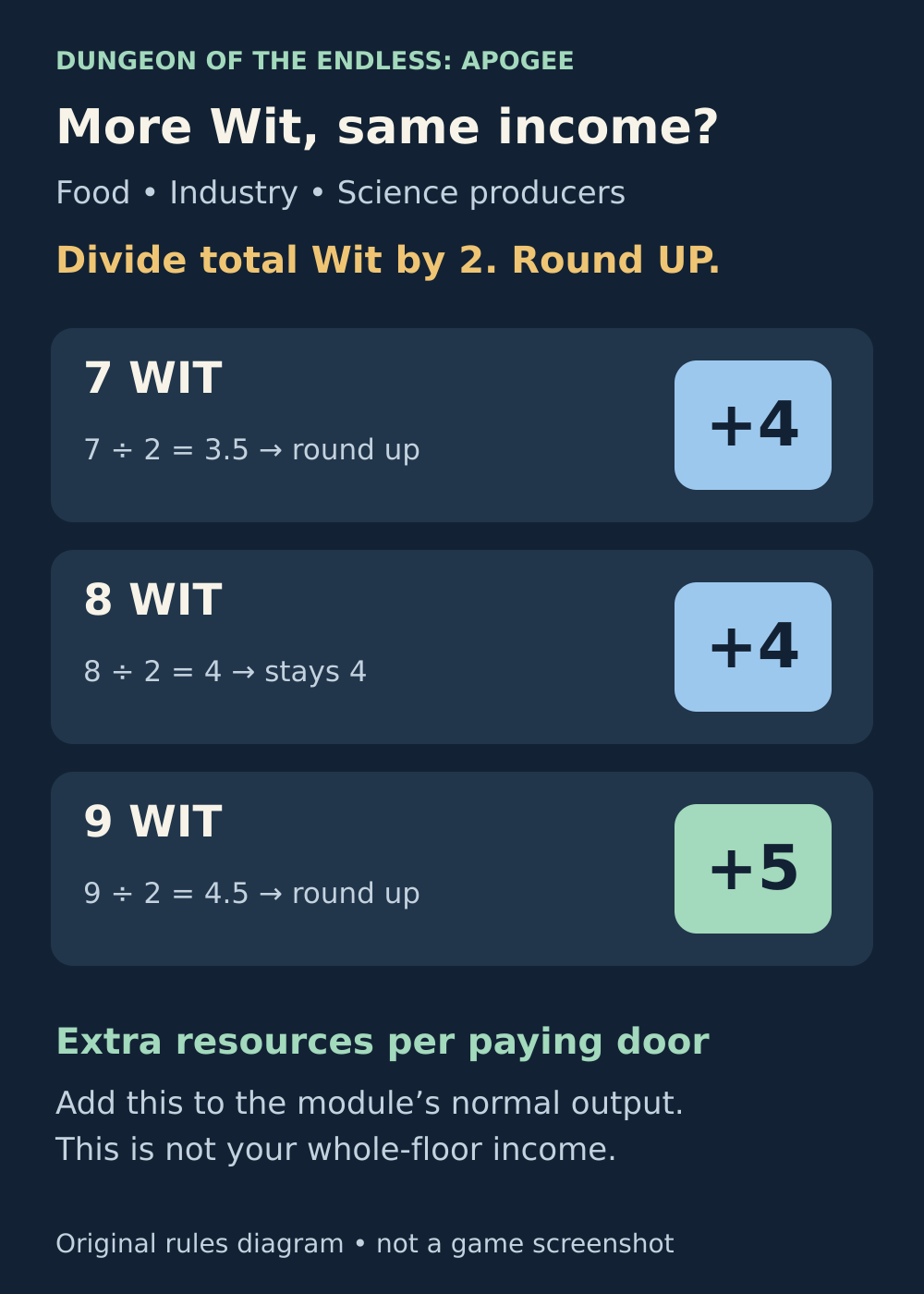
An extra point of Wit only changes resource output when it crosses the next rounding threshold.
A second hero is not a second operating bonus
A major module has one hero operator at a time. When several eligible heroes are in the room, the game prioritizes the one with the highest Wit. Do not add both heroes' Wit together and expect that combined bonus.
Mechanical Pals are different. These minor modules can operate a major module and contribute Wit alongside a hero. Combine that Wit first, then apply the producer's rounding rule.
For instance, a level-I Pal adds 1 Wit. A 7-Wit operator plus one such Pal has 8 total Wit, so the bonus remains 4. With two level-I Pals, the total is 9 Wit and the bonus becomes 5. The first Pal was contributing even though it did not cross the next output threshold.
This is also why “one Pal always adds one resource” is a poor buying rule. Check the existing total and the next threshold before spending Industry or using another defensive module slot.
Check the right resource and module
Operating a Food Replicator adds Food, not Science or Industry. Operating a different type of major module can improve a different effect rather than those three resource totals. A Shop needs a merchant before operating it can generate Dust; an empty Shop is not another Industry Generator.
Before the next door, check these five things: the hero actually has Operate, the producer is complete and powered, setup has finished, the hero is ready at the module, and you are watching the right resource.
If that controlled test still fails, record the hero, current skills and Wit, module type and level, room power, operating indicator and the sequence of doors opened. Include your device and app version when contacting hello@playdigious.com, the support address listed for Apogee. A screenshot before the door and one afterward will make the missing payment easier to investigate.
Sources and further reading
Operate skill and setup rules
Read the community reference for the Operate skill, one hero operator and the setup requirement. Playdigious recommends this wiki for Apogee gameplay questions.
Read the sourceDeveloper clarification on power, combat and payout
Read Mysterarts’s December 4, 2014 reply separating retained operation from the powered, ready-at-module condition for resource payment.
Read the sourceOfficial Apogee edition overview
Read Playdigious’s description of the mobile edition containing Dungeon of the Endless and its included add-ons.
Read the sourcePublisher-recommended gameplay reference
See Playdigious’s official Apogee help article directing gameplay questions to the Dungeon of the Endless community wiki.
Read the sourceOfficial manual: skills, Wit and module types
Read the official original-game manual on door-based income, room power, Wit, passive skills and major versus minor modules.
Read the sourceOne-door setup delay explained
Read the January 2017 original-game discussion explaining the full setup turn before an operator starts adding resources.
Read the sourceMechanical Pal values and combined Wit
Check the community reference for Pal Wit values and half-Wit rounding for ordinary resource producers. Add combined Wit before rounding.
Read the sourceResource producers and operating bonuses
Check the ordinary major-module production values, including level-I Food, Industry and Science modules producing three resources before operating.
Read the sourceShop operating requirements
Read why an occupied, operated Shop generates Dust and why a Shop without a merchant does not provide that benefit.
Read the sourceOfficial mobile listing and support contact
Read Playdigious’s Apogee listing, mobile release history and the published support contact hello@playdigious.com.
Read the source
Latest comments
Log in to join the conversation
Log InNo comments yet. Be the first to share your thoughts!